
The Tool Is Not the System
Security teams depend on documentation to preserve knowledge, support incident response and prove what they are doing. Yet many collaboration spaces become disorganised archives that nobody enjoys using. This article explains how to build a simpler system around the team's real workflow, before worrying about which platform should contain it.
Most security teams do not have a shortage of documentation.
They have meeting notes, assessments, incident records, policies, threat reports, action trackers and half-finished pages spread across several tools.
What they often lack is a system that helps people find, understand and use any of it.
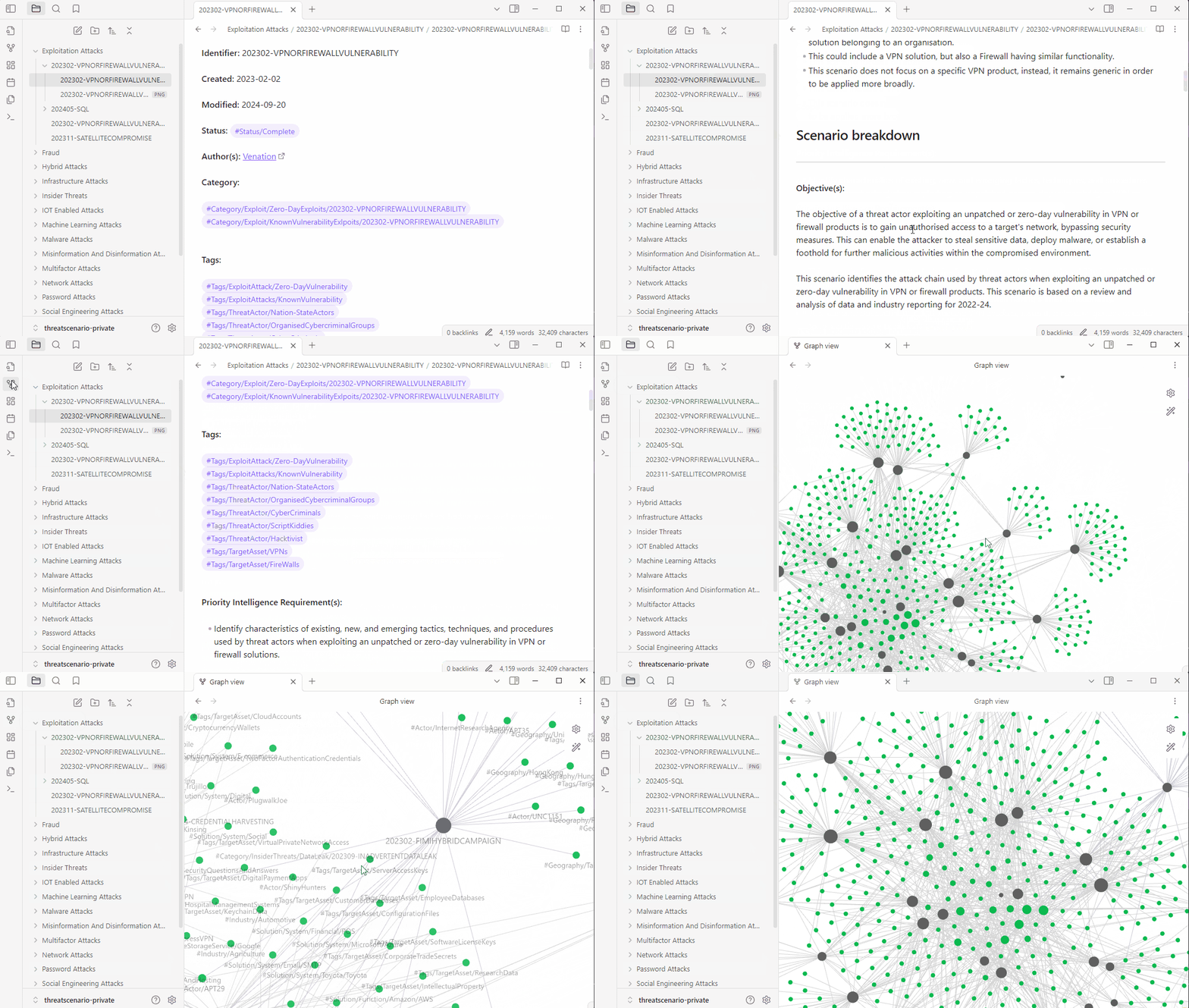
This distinction matters. Buying another knowledge platform may give the team a cleaner place to store information, but it will not decide what belongs there, how it should be structured or what someone is expected to do after reading it.
The solution matters less than the workflow around it.
Documentation is part of the operating system
Writing documentation is hard. Writing good documentation is harder.
Security teams cannot avoid it, though. They need dependable documentation for several practical reasons.
People join and leave. Without a written record, knowledge disappears with them.
The business also expects the security team to explain what it is doing, why it is doing it and whether the work is making a difference. During an audit, it is not enough to say that a process exists. The team needs to describe it and provide evidence that it is followed.
Then there is incident response. When something goes wrong, good documentation reduces the number of decisions that must be improvised under pressure.
Documentation is therefore not an administrative burden sitting beside the work. It is part of the work.
That means the collaboration space should be pleasant enough to use, simple enough to maintain and useful enough that people return to it without being chased.
Start with the purpose, not the platform
I have spent more time than I care to admit testing note-taking and knowledge-management tools.
After all of that, I still often end up using physical paper and Apple Notes.
That is not because more advanced tools are bad. It is because the best tool depends on the person, the team and the work being done.
A small team may work perfectly well with a shared collection of Google Docs. A Microsoft-based organisation may already have everything it needs in OneNote or SharePoint. Obsidian can be powerful when relationships between pieces of knowledge matter. Notion can work well for teams that want documents, databases and templates in one place. Larger environments may eventually require something more controlled, such as Confluence.
The integrations will change. The basic structure should not.
Before comparing platforms, decide what the collaboration space is there to achieve.
Is it primarily intended to explain the role of the security team to the wider business, support daily security operations, prepare for audits and regulatory reviews, preserve knowledge as the team changes, support incident response, or help leaders make decisions?
A space trying to achieve all of these things at once can quickly become overwhelming. Begin with the main purpose and build the smallest body of knowledge required to support it.
Give every document a reason to exist
Many knowledge spaces are assembled gradually from unrelated documents.
Someone adds an operating procedure. Someone else uploads a presentation. A third person creates a page for meeting notes. Reports are copied from another system. Eventually, the space contains plenty of information but no obvious logic.
A better approach is to organise the content around three basic questions.
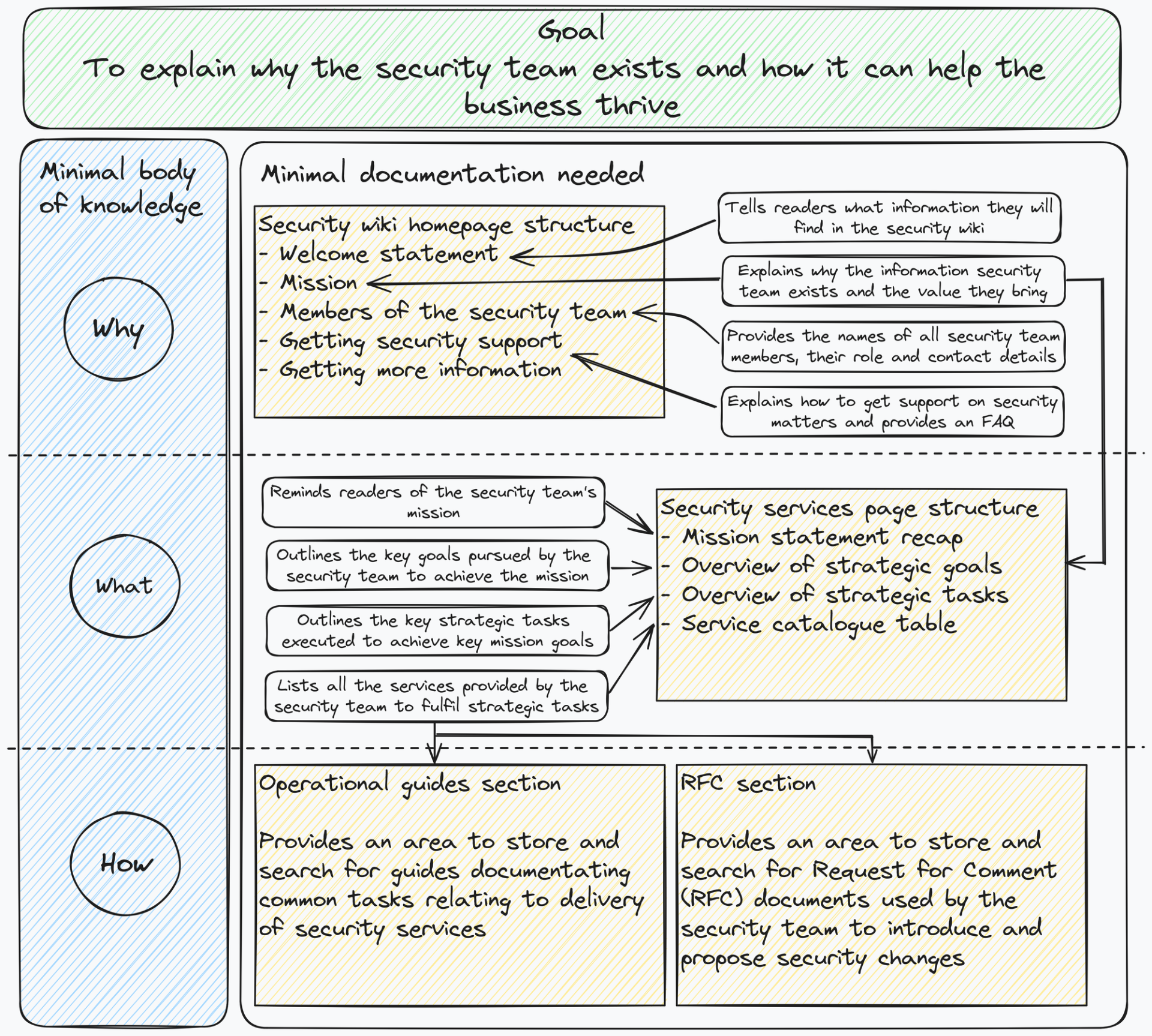
Why does the security function exist? This section explains the purpose of the team. It might contain the mission, mandate, strategic priorities, operating principles and an explanation of how security supports the wider organisation.
What does the security function do? This describes the actual services and responsibilities of the team. It may include areas such as threat intelligence, incident response, vulnerability management, security testing, risk assessment and awareness.
How does the team do the work? This is where the operational material belongs: procedures, templates, playbooks, decision records, escalation routes and supporting reference material.
The structure does not need to be clever. It needs to be predictable.
When people understand the logic, they can work out where a document should live before they create it. Readers can also make a reasonable guess about where to look before using search.
Each document should contribute to the purpose of the space, have a clear reason for existing and avoid duplicating something already maintained elsewhere.
Templates remove unnecessary decisions
A collaboration system becomes easier to maintain when the team does not have to reinvent its structure every time someone opens a new page.
Meeting notes are a simple example. Instead of starting with a blank document, use a standard format.
Start with metadata: date, topic or title, context and participants. Then capture key points, without attempting to transcribe the entire conversation. Record decisions and outcomes separately from general discussion. For every action, note the task, the owner, the expected date and the priority. Finally, keep open questions visible so that unresolved issues do not disappear inside the notes.
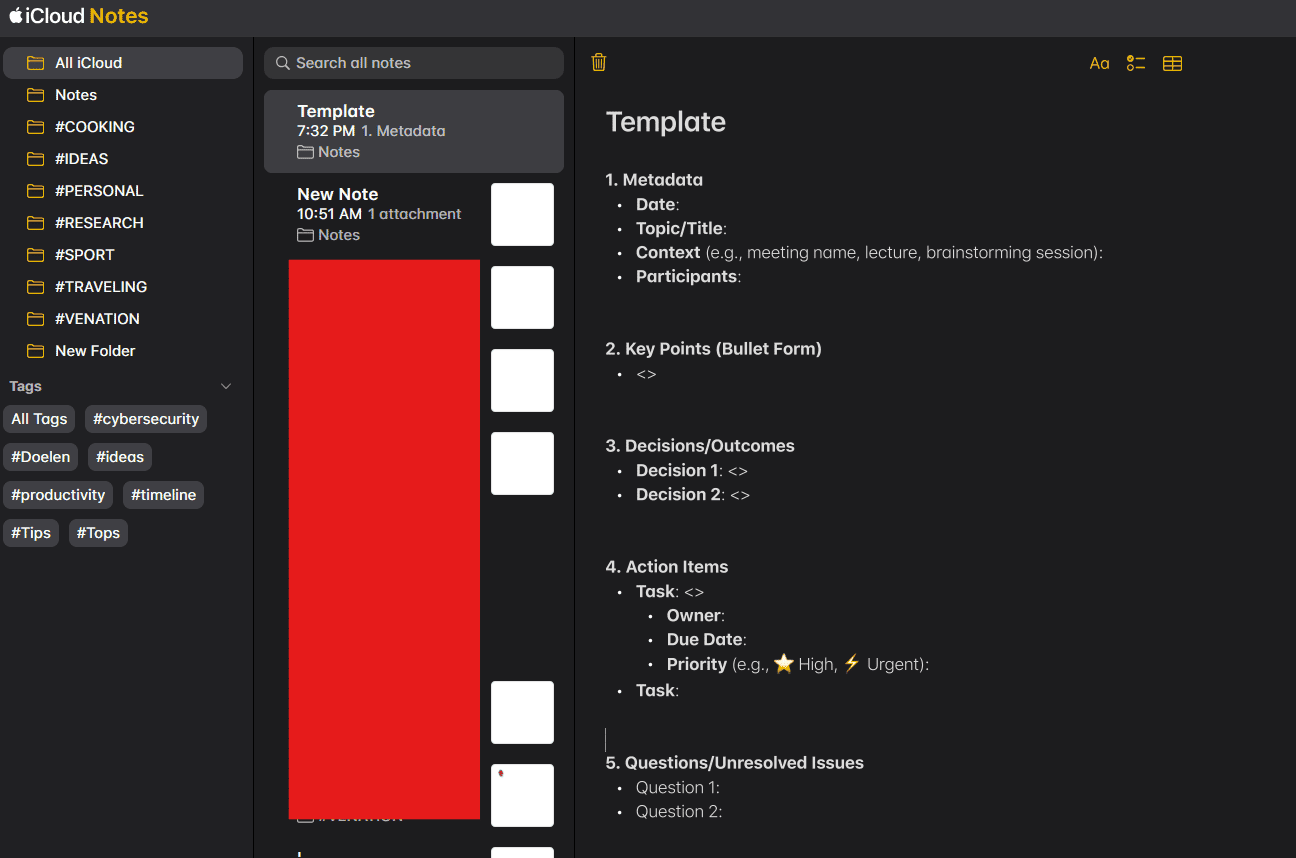
This is not a revolutionary template. That is precisely why it works.
It removes small decisions, makes different records easier to compare and gives the next reader a familiar route through the information.
The same principle can be applied to incident reports, threat assessments, scenario documents, audit evidence, project updates and decision records.
Template the repeated work. Leave flexibility for the work that is genuinely different.
Some organisations prevent employees from duplicating external Notion pages. In that case, they can first copy it into a personal workspace and move the relevant pages into their approved environment later, subject to their organisation's policies.
The pack will continue to develop as teams use it and share feedback.
Treat the space as a library
A folder full of documents is not automatically a knowledge system.
A useful collaboration space behaves more like a library. The material needs to be catalogued, grouped and retrievable.
That requires a small amount of discipline around naming, tagging and ownership.
A document title should tell the reader what they are opening. Tags should reflect categories people actually search for, rather than creating an elaborate internal taxonomy that only one person understands. Important content should have an owner and a review point.
The purpose is not to create administrative work around every page. It is to prevent valuable information from becoming invisible.
This becomes more important as the team grows. Two people may be able to remember where everything is stored. Twenty people cannot.
Build around the team's real workflow
A collaboration system should make the team's work easier, not create another destination everyone is expected to visit.
Pay attention to where people already communicate, make decisions and assign work.
A document that requires someone to leave their normal workflow, remember a separate login and search through an unfamiliar structure will struggle to become part of daily operations.
This is why integrations often matter more than feature comparisons.
The useful question is not which knowledge-management tool has the longest feature list. It is how information will move from a conversation into a decision, an action and a record that can be found later.
The answer may involve a sophisticated platform. It may also involve shared documents, a clear naming convention and a few well-designed templates.
Start with the workflow. Add technology where it removes friction.
Make the system easier than the workaround
A collaboration space is never finished.
Teams change. Responsibilities move. New evidence is required. Some documents become critical, while others turn out to have no practical use.
The system needs regular adjustment by the people using it.
That does not mean redesigning the entire workspace every few months. It means noticing where people struggle, what they repeatedly ask for and which information remains difficult to retrieve.
Remove what does not help. Improve the templates people use most. Make the important paths clearer.
A modest system that the team understands and maintains will outperform an impressive platform that everybody avoids.
The aim is not to document everything. It is to preserve the knowledge, decisions and evidence the team will need when the pressure arrives.